
ON THIS PAGETable of Contents 12 main sections
Quick Answer: Fix the Login Problem Safely
Most BetPro account login problems come from one of five things: an incorrect ID, an old password, a keyboard mistake, the wrong login route, or an account-status issue. Start by checking the BetPro ID and current password supplied for your account. Enter both exactly as provided on a maintained platform route received through verified support.
BetProAccounts.pk is a dealer-support website, not the betting platform. You will not find a platform login box on the support website. If your password is forgotten, contact the maintained support route connected with your account. Never send your password, OTP, payment PIN, banking password or remote-access code.
This article provides detailed troubleshooting for existing users. The Laravel BetPro Account Login Help page remains the main owner page for current login and support guidance.
Why BetPro Account Login Problems Happen
Understand the account and its login details
A BetPro account is the complete user setup. The BetPro ID and password are the credentials used to access it. The BetPro ID works like a username, while the password is the private secret paired with that ID.
Under the dealer-assisted process explained on BetProAccounts.pk, the assigned dealer creates the account and sends the user an ID and password privately. BetProAccounts.pk does not host the platform login screen and does not need to collect your password to provide support.
A safe login attempt therefore begins before you type anything. Confirm which account you want to access, which ID belongs to it, which password is current and whether the login route came from a maintained source. A copied page can display a familiar logo while still trying to collect credentials.
Do not mix BetPro and BPExch Wallet credentials
Credential confusion is a common cause of failed access. A user may have a BetPro ID for the main account and separate details for a BPExch Wallet profile. Entering a Wallet email or Wallet password into a BetPro login screen can fail even when both sets of credentials are valid.
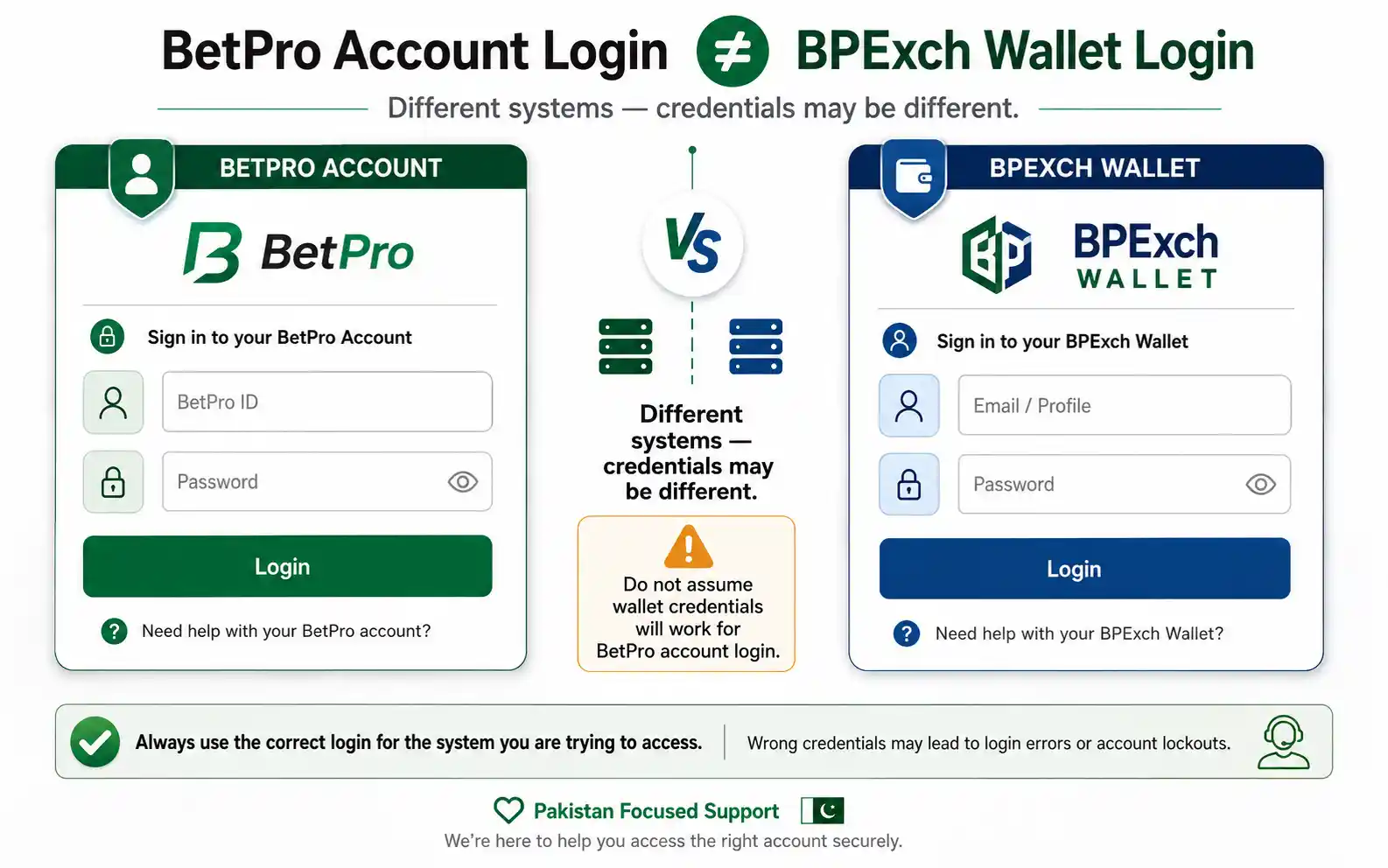
Keep account credentials, Wallet credentials and payment credentials separate. If you are unsure which system you are trying to access, use the BetPro account vs BPExch Wallet comparison before attempting another login.
Identify the real access problem
Different searches can describe very different needs. One person may need the correct web route. Another may have forgotten a password. A third may be using an inactive account, while someone else may not have received login details yet.
Define the issue before trying another solution:
- If you know the ID and password but the page will not open, investigate the route, browser or connection.
- If the password is rejected, check the current password and keyboard input.
- If you never received an ID, check the original account request.
- If the account is inactive, pending or suspended, request an account-status review.
A short description such as “ID accepted but password rejected,” “page does not open,” or “account shows inactive” helps support understand the problem without exposing private information.
9 Safe Fixes for BetPro Account Login Problems
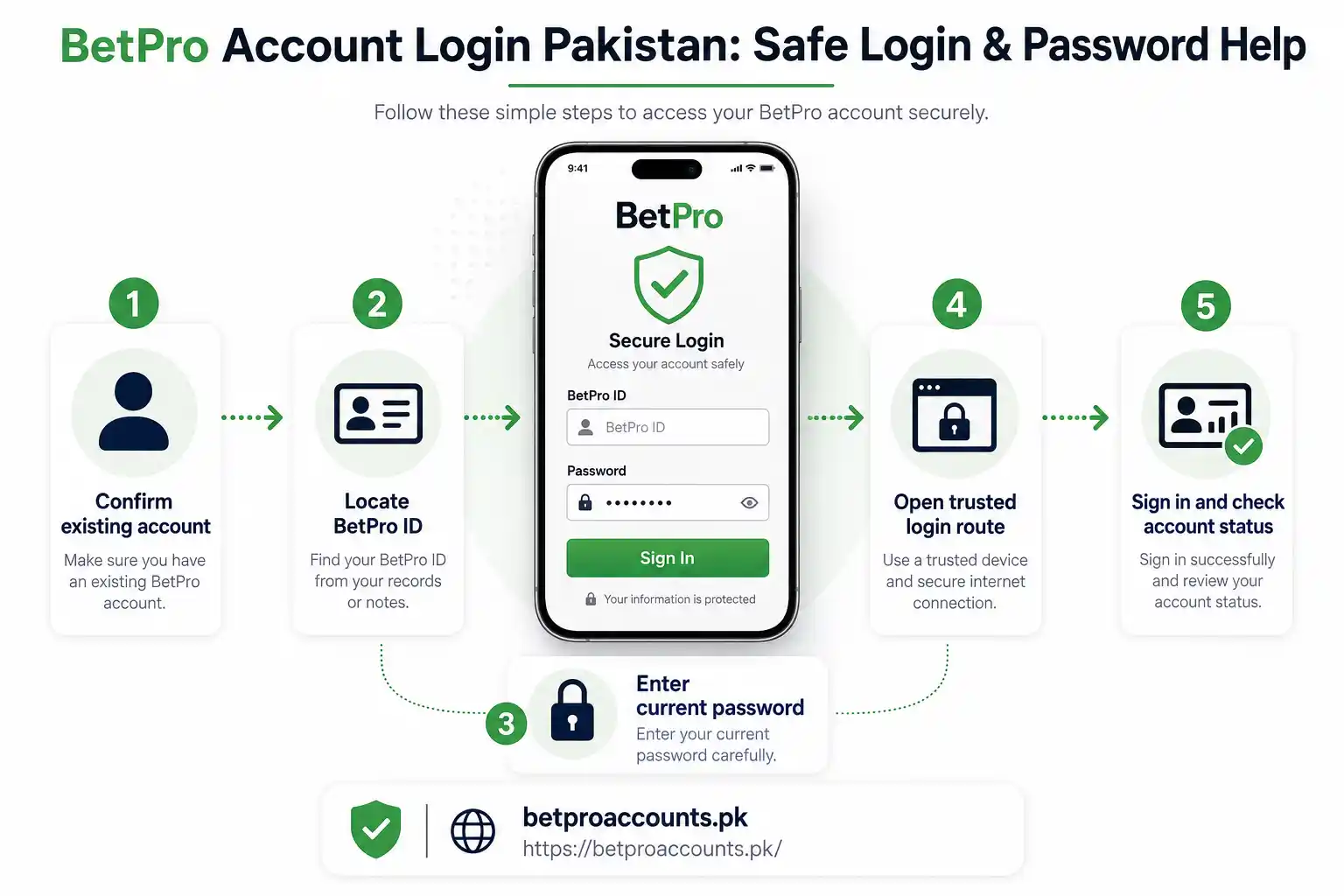
1. Confirm that the account already exists
Login is for an existing account. If you have never received a BetPro ID and password, do not guess credentials or use someone else’s details. Read the guide to create a BetPro new account and use the maintained dealer-assisted request route.
2. Check the BetPro ID character by character
Use the ID supplied for your account. Do not automatically substitute your WhatsApp number, contact name, email address or Wallet username. Compare every character with the original account message. The number zero and letter O can look similar, as can the number one, capital I and lowercase l.
3. Use the current password
If the dealer supplied a password and you changed it later, the newer password is the one that matters. Copying an old message can produce a password error even when the ID is correct.
Check capitalization, spaces, numbers and symbols. Mobile keyboards can add a space, change the language or replace a character. Use the password-visibility control only when nobody else can see your screen.
4. Open a maintained login route
BetProAccounts.pk provides dealer and account support; it is not the platform login page. Open the maintained platform route already connected with your account or ask verified support for the current route. Avoid links from random comments, unknown groups, forwarded messages, pop-ups and search advertisements that imitate login pages.
Stop if a page asks for information unrelated to normal login. Account access should not require your banking password, payment PIN, email password, remote-access code or an unrelated OTP.
5. Read the exact error before trying again
Attempt the login once and read the complete result. Note whether the page says incorrect password, invalid user, inactive account, suspended account or network error. Repeated rapid attempts can make troubleshooting harder and do not correct the underlying issue.
6. Test the browser and connection
If the page does not load, check the address and reload it. Try a current browser and switch once between your normal trusted Wi-Fi and mobile data. Clear only the relevant site cache if the page remains stuck. Do not solve a loading problem by installing the first APK found in search results.
7. Compare web and approved app access
If an approved app opens but login fails, test the maintained web route. If the web route works, the problem may involve the app version or stored app data rather than the account. If both routes reject the same credentials, verify the ID, password and account status.
An app may not be necessary when the supported web route works correctly. If you use an app or APK, obtain its current source through verified support. A familiar icon or the word “official” is not proof that a file is safe.
8. Request password help safely
If the password is forgotten, start from the maintained support route associated with the account. Explain that you need password help and provide only the non-secret account information requested for review. Use the registered WhatsApp number when possible because it helps connect the request with the original account process.
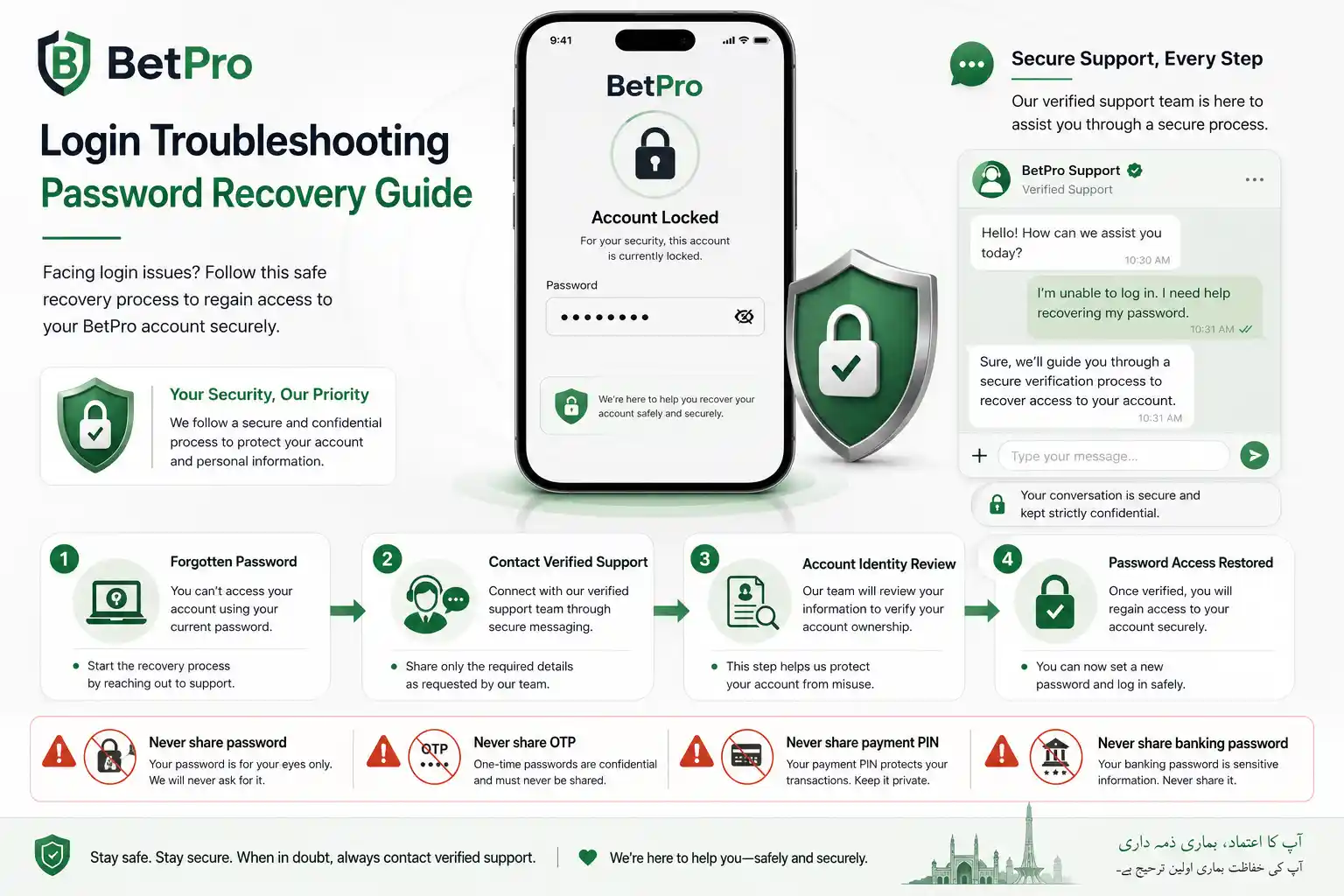
Do not send an old password, OTP, payment PIN, email password, banking password or remote-access code. Password recovery should not require someone to control your phone or computer remotely.
9. Request status help when credentials are not the problem
A password reset will not normally resolve an inactive, pending or suspended account. Use the BetPro account status help page and describe the status shown on the screen.
Do not request a duplicate account merely because the original account will not open. Diagnose the existing account first.
What Common Login Errors Mean
Incorrect password
Retype the current password carefully. Check keyboard settings, capitalization and unwanted spaces. Confirm whether the password was changed after the original account message was received.
Invalid ID or user
Compare the BetPro ID with the original message. Make sure you are not entering a Wallet email, phone number, contact name or another account’s ID.
Inactive account
Ask the assigned dealer for an account-status review. Inactivity and an incorrect password are different issues, so repeatedly changing the password may not help.
Pending account
Wait for the relevant setup or payment confirmation and follow the maintained dealer guidance. Do not create another account because the first request has not finished processing.
Suspended account
Request a status review. Do not attempt to bypass the review by opening another account or using another person’s credentials.
Page or app will not load
Check the current route, network and browser. When an app is involved, confirm its source and version through verified support. Test the maintained web route to determine whether the issue is app-specific.
Password Reset and APK Safety
Password recovery and app installation are separate tasks. A password problem should be resolved through the account-support process first. Installing an unknown “reset APK” can expose credentials and request permissions unrelated to login recovery.
Do not install files from strangers, file-sharing groups, unofficial mirrors or pages that promise to unlock an account instantly. Only obtain an app or APK from a current source supplied through the maintained support route.
If you still know the current password and can access the account, a password-change option may be available within the supported platform. Choose a unique password that you do not reuse for email, banking, social media or another betting service.
Protect Your BetPro Account After Login
- Use a unique password and keep it private.
- Do not store credentials in public chats or screenshots.
- Avoid saving passwords on shared devices.
- Log out completely when the device is not yours.
- Keep account, Wallet and payment credentials separate.
- Never send money merely to prove that a password belongs to you.
Payment questions belong to the dealer payment process. If you are preparing a first deposit after setup, review the BetPro minimum deposit in Pakistan guide and confirm the current payment destination before sending money.
When You Need Account Creation Instead of Login Help
The distinction is simple: login is for an account that already exists, while account creation is for someone who has not received the required credentials. A login guide cannot create an ID and password.
The BetProAccounts.pk process is dealer-assisted and does not use a public platform signup form on the support website. Start with the account-request page, share only the requested basic details and keep the process within one maintained support conversation.
Do not create a new account merely because an existing login fails. If the original account is inactive, pending, suspended or using an old password, a duplicate request can make the review more difficult.
What to Tell Support Without Exposing Secrets
You can safely explain:
- Which device you are using
- Whether you are using web or an approved app
- The general error displayed
- Whether the account worked previously
- Whether you still control the registered WhatsApp number
- Whether the password was recently changed
Do not include the actual password, OTP, payment PIN, email password, banking password or remote-access code. If support needs a screenshot, crop or cover all sensitive details first.
Login Convenience and Security Trade-offs
Saving credentials in a browser makes future access faster, but it increases exposure on a shared or poorly secured device. A private password manager is safer than storing a password in a chat or screenshot, although no storage method protects a device that is already compromised.
Search engines can help users discover guidance, but a search result is not proof that a login page, app or support contact is maintained. When a problem feels urgent, avoid random shortcuts and return to the published support route.
This troubleshooting article supports rather than replaces the Laravel owner page. Use the BetPro Account Login Help page for the maintained login route and support guidance.
Final Login Troubleshooting Checklist
- Confirm that you are accessing the correct account rather than a BPExch Wallet profile.
- Compare the BetPro ID with the original dealer message.
- Retype the current password and check spaces, capitalization and keyboard settings.
- Verify the login route before entering credentials.
- Read the exact error instead of retrying repeatedly.
- Test a current browser and trusted connection.
- Compare approved web and app access when relevant.
- Request password recovery through the maintained support route.
- Use status help for inactive, pending or suspended accounts.
- Keep passwords, OTPs, PINs, banking credentials and remote-access codes private.
BetPro Account Login Problems: FAQs
How do I log in to an existing BetPro account?
Use the BetPro ID and current password assigned to the account on a maintained platform route. BetProAccounts.pk provides dealer support but does not host the platform login box.
What should I do if I forgot the password?
Request password help through the maintained support route and use the registered WhatsApp number when possible. Do not send an old password, OTP, payment PIN, banking password or remote-access code.
Can I use BPExch Wallet details for BetPro account login?
Not automatically. A BPExch Wallet profile can have separate credentials. Identify which system you are accessing and use the details created for that system.
Should I create another account when login fails?
No. First determine whether the issue involves the ID, password, route, app or account status. A duplicate account can complicate support.
Do I need an APK to reset the password?
No. Resolve password recovery through the maintained account-support process. Do not install an unknown APK that claims to unlock or reset an account.
Get Safe BetPro Account Login Help
If the account still will not open, use the maintained BetPro Account Login Help page and describe the exact problem displayed. Keep all passwords, OTPs, payment PINs, banking credentials and remote-access codes private.
If you do not yet have login credentials, use the dealer-assisted account-request route. If the next step is funding an account that has already been created, read the minimum-deposit guide and confirm current terms before sending money.
Betting involves financial risk. Use the service only if you meet the applicable age and local requirements, and never use money needed for food, rent, bills, healthcare, education or family responsibilities. Read the responsible gambling guidance when betting is affecting your finances or wellbeing.